Product Field Reference
Every field on a product record, and what it does to the page. Lookup only — for how to fill them in, see New Product Guide.
What the page is made of, top to bottom
Read this table as the running order of a product page. The middle column is the rule that decides whether that block is on the page at all.
| Block on the page | Appears when | Fields it uses |
|---|---|---|
| Breadcrumbs | Always | Collection the visitor arrived from |
| Title, brand line and SKU | Always | Title · Vendor · Variant SKU |
| Intro paragraph under the title | Romance is filled | Romance |
| “Also available in” swatch row | The product belongs to a variant family with more than one member | Variant family · Variant label · Colour / finish |
| “What's included” bullets | Feature bullets are filled | Feature bullets (first 6 shown) |
| Thin meta row (short label/value pairs) | Meta beam is filled | Meta beam |
| Partner / Contact buttons | Always | — |
| “Description” accordion | Description is filled | Description |
| Section navigation strip | Always | Built automatically from the blocks below it |
| Product Story (large image + heading + text) | Story image, heading and body are filled | Story image · Story heading · Story body |
| Benefits line (short phrases with dots) | Benefits line is filled | Benefits line |
| Features (three columns with images) | A features record is attached | Product features |
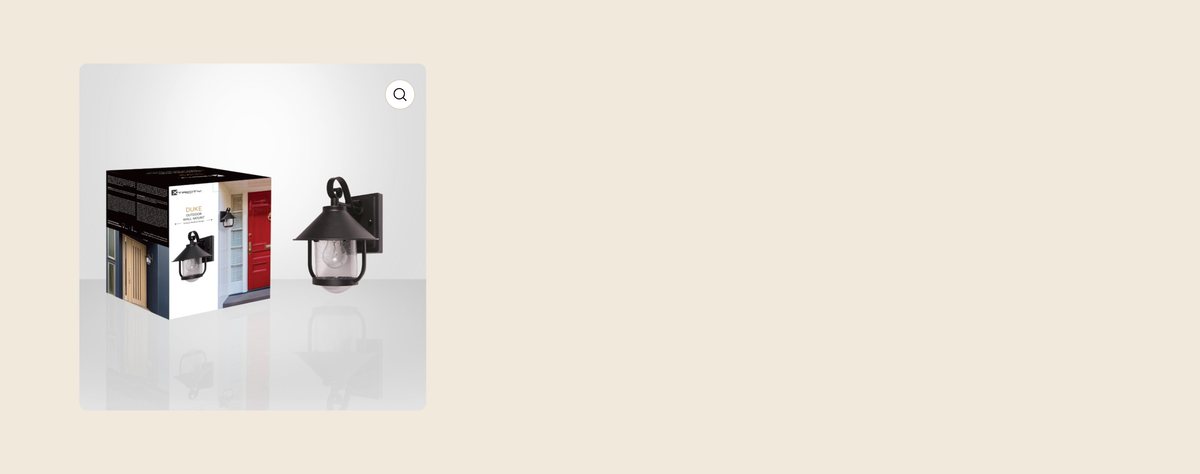
| Retail Ready (box photo + four figures) | Box image is attached | Box image · Master carton · Inner pack · UPC |
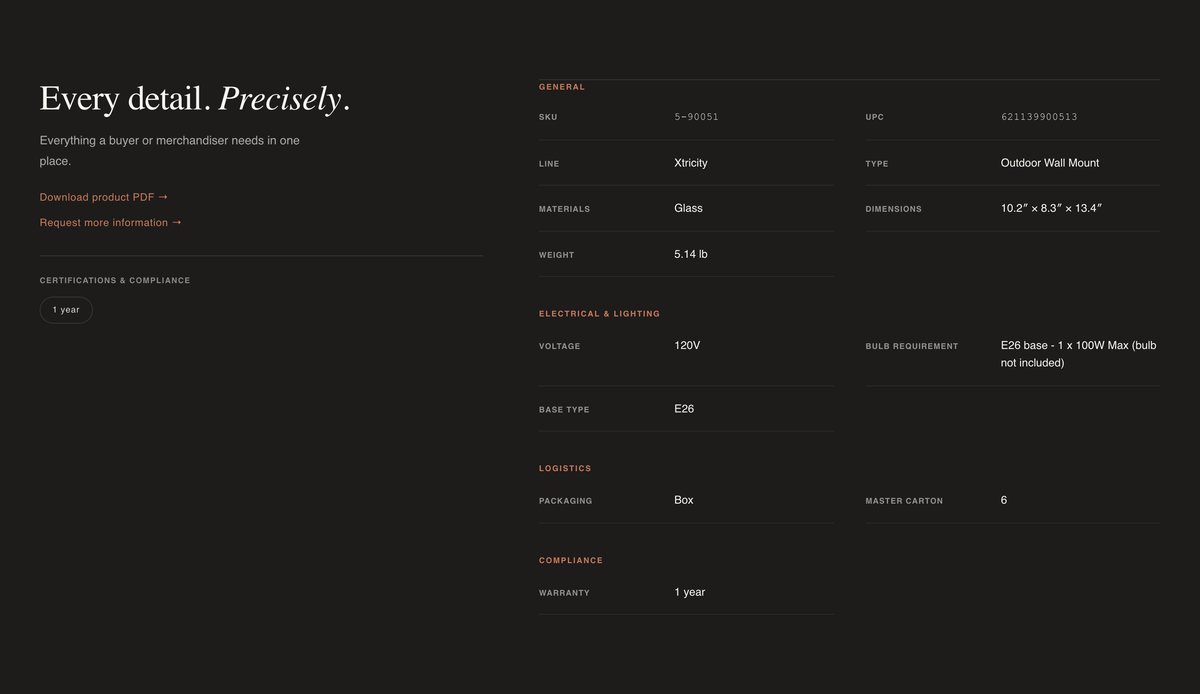
| Specifications panel (dark) | Any specification field is filled | See section 6 |
| The Line (brand block) | A brand profile is attached | Brand profile |
| Dealer call to action | Always | — |
| Common questions | Always | Same for every product |
The fields that come with Shopify
| Field | What it does | How to write it |
|---|---|---|
| Title | The heading on the product page, the name on every collection card, the browser tab, and what site search matches against. | See the title convention below. Sentence case, never all capitals. |
| Description | Fills the “Description” accordion in the top block of the page. It is not the intro paragraph — that is Romance. | Plain sentences. Avoid repeating the specification table. |
| Media | The image gallery. The first image is also the card image everywhere on the site. | See JES-IMG-01. |
| Product type | Places the product in its department collection. 88 collections are built on product type. | Must match an existing type exactly. A new spelling creates an orphan, not a new collection. |
| Vendor | The brand. Shown above the title with a coloured dot, again as “Line” in the specification table, and it drives the brand pages. | Must match an existing brand exactly. |
| Tags | Shelf tags place the product in its sub-collection. 202 collections are built on tags. | See JES-COL-01 for the tag registry. |
| Variant SKU | Shown as the SKU under the title and as the first row of the specification table. | Jessar SKU exactly as in the master file. |
| Variant barcode | Shown as the UPC row of the specification table and in the Retail Ready block. | Digits only, no spaces. |
| Search engine listing | The blue link and grey description on Google, and the product's web address. | Leave the web address alone once a product is live — see JES-X-01. |
The title convention
Titles split at the first em dash. Everything before it becomes the large serif name; everything after it becomes small pill labels beside it.
| Title as entered | How it renders |
|---|---|
| Belmont Pendant — Matte Black, 12 in | Belmont Pendant as the heading, with Matte Black and 12 in as pills |
| Belmont Pendant Matte Black 12 in | The whole string as one long heading, no pills |
Fields in the buy box
| Field in admin | Where it shows | Notes |
|---|---|---|
| Romance | The paragraph directly under the title. | Two or three sentences. This is the selling line, not a specification. |
| Feature bullets | The “What's included” list. | One bullet per line. Only the first six appear on the page — put the most important first. |
| Meta beam | The thin row of short label/value pairs under the bullets. | One entry per line, written as Label: value. An entry with no colon renders as a value on its own. |
| Variant family | The “Also available in” row of swatches. | Points at a family record shared by all the colours or sizes of one product. Nothing appears unless the family has more than one member. |
| Variant label | The wording on that product's swatch when a colour swatch is not enough — for example “0.9 L · Stripes”. | Short. Only needed where colour alone does not tell the two apart. |
| Colour / finish | Colours the swatch, and appears as the “Finish” row in the specification table. | Use the finish names already in use; a new spelling gets a plain label chip instead of a colour. |
Every row of the dark specification table
Rows appear in this exact order, and only when the field is filled. A group heading appears only if at least one row under it has data — a bulb shows Electrical and Logistics with no empty kitchen rows, and a saucepan shows General and Logistics with no empty bulb rows.
General
| Row on the page | Field | Notes |
|---|---|---|
| SKU | Variant SKU | |
| UPC | Variant barcode | |
| Line | Vendor | |
| Type | Type (display) | Plain-English product type shown to buyers, e.g. “Pendant”. |
| Materials | Materials | One per line; shown joined with dots. |
| Finish | Colour / finish | One per line; shown joined with dots. |
| Cord length | Cord length | |
| Capacity | Capacity | One per line. |
| Set count | Set count | |
| Dimensions | Dimensions (imperial), falling back to Dimensions | Imperial is shown if present; the metric field is the fallback. |
| Weight | Weight (imperial), falling back to Weight (g) | If only the gram figure exists it is shown with “ g” appended. |
| Care | Care instructions | |
| Heat resistance | Heat resistance | |
| Lid | Lid material |
Electrical & lighting
| Row on the page | Field |
|---|---|
| Wattage | Wattage |
| Voltage | Voltage |
| Bulb requirement | Bulb requirement |
| Frequency | Frequency |
| Lumens | Lumens |
| Colour temperature | Colour temperature |
| Base type | Base type |
| Bulb shape | Bulb shape |
| Beam angle | Beam angle |
| Dimmable | Dimmable |
| Rated life | Life hours |
Logistics
| Row on the page | Field | Notes |
|---|---|---|
| Packaging | Packaging type | |
| Inner pack | Quantity per package | Also one of the four figures in the Retail Ready block. |
| Master carton | Quantity per container | Also one of the four figures in the Retail Ready block. |
| Carton dimensions | Master carton dimensions | This is the size of the carton — not how many fit in it. |
Compliance
| Row on the page | Field | Notes |
|---|---|---|
| Warranty | Warranty period | Also appears as a chip in the certifications strip. |
| Safety | Safety claims | One per line; shown joined with dots. |
Links above the table
| Link | Appears when | Field |
|---|---|---|
| Download product PDF | A file is attached | Spec sheet |
| Setup guide | A web address is entered | Setup guide |
| Bulb guide | A web address is entered | Bulb guide |
| Request a sample | Always | Set in the theme, same on every product |
How certification marks are drawn
The Certifications field is a list, one mark per line. Marks we hold artwork for are drawn as their real logo; anything else is drawn as a plain text chip. Nothing is invented — an unrecognised value simply appears as text.
| What you type | What appears |
|---|---|
| ETL, cETLus | The cETLus mark |
| UL, UL Listed, cUL, cULus, C UL US | The cULus mark |
| CSA | The CSA mark |
| FCC | The FCC mark |
| RoHS | The RoHS mark |
| CE | The CE mark |
| Energy Star | The Energy Star mark |
| Anything else — BPA-free, IP65, ICES-005… | A plain text chip reading exactly what you typed |
Spelling and spacing do not matter for the marks above — UL, cUL and C UL US all resolve to the same logo. A mark we do not hold artwork for is not an error; it renders as text on purpose.
Fields that only appear on featured products
These four blocks are deliberately not on every product. They are the extra treatment given to hero products, and they stay invisible everywhere else.
| Block | Fields | Currently on |
|---|---|---|
| Product Story — full-width image beside a heading and paragraph | Story image, Story heading, Story body — all three must be filled or the block breaks up | 1 product |
| Features — three columns of image, title and text | Product features (a separate features record, attached to the product) | 57 products |
| Benefits line — a row of short phrases separated by dots | Benefits line | 6 products |
| Retail Ready — box photo beside master carton, inner pack, languages and UPC | Box image, plus the logistics fields it displays | 1,432 products |
Internal fields
| Field | Why it exists |
|---|---|
| MSRP (CAD) | Pricing reference. Deliberately never rendered anywhere on the public site and never included in the partner export. |
| Internal class 1 · Internal class 2 | Internal classification carried over from the old system. Not displayed, not exported. |
| Feature callouts | Filled on 44 products but not currently used by any block on the site. |
| Gallery captions | Reserved for image overlay captions. Defined but not populated. |
| Catalog PDF · Is hero | Left over from earlier work. Empty on every product. |
Formatting rules that matter
- List fields — one entry per line. Materials, Finish, Capacity, Certifications, Safety claims, Feature bullets, Meta beam and Benefits line are all lists. Do not type a comma-separated string into one line; the page will show it as a single run-on value.
- Meta beam entries take the form Label: value. An entry with no colon is shown as a value with no label.
- Units belong in the value. There is no separate unit field. Write “12 in”, “60 W”, “2700K”, “1.5 L”.
- Imperial and metric are separate fields. Dimensions (imperial) wins on the page; the metric field is the fallback. Fill both where you have both.
- Sentence case everywhere. No all-capitals titles or field values.
- Do not paste formatted text. Copying out of Word or a browser carries hidden formatting into the field. Paste as plain text.
- Every text field is translatable. Whatever you write here needs a French counterpart — see JES-FR-01.
What the blocks look like on the site